
Etalage & Briefcase
Share your product information and assets externally in a controlled way: quickly to partners and press via Briefcase, or as a configurable showcase with Etalage.

Not everything you manage do you want to keep internal. Sometimes product information has to go out: to distributors, end users or customers in the store. With Briefcase you share assets quickly and in a controlled way, with Etalage you set up a full external showcase. In both cases you decide exactly what is visible, and for whom.
Partners and customers do not easily find the right info.
Sharing the right material with the right people takes too much time today.
Marketing as bottleneck
Distributors and press keep emailing your team for the right photos, datasheets and documents. Time and again.
Showing too much or too little
You do not want to share all fields and assets, but the right ones, per partner or per channel.
Choosing in the store
A customer looks for the right product by size, material or price, and gets lost at the shelf.
From quickly sharing assets to a full showcase.
Share assets quickly and in a controlled way, without your marketing team
With Briefcase, distributors, stores or press share the right product assets themselves, without involving your marketing team. Users simply select the desired products and file formats, such as hi-res photos or PDFs. PimLayer automatically bundles all assets and sends a download link by email within minutes. That way you save time, keep control over file quality and offer partners a professional way to always receive up-to-date material.

An external view of your product info, all the way to the shelf
With Etalage you open up part of your products to external parties, and you decide yourself which product properties and assets are visible. Give your distribution network access to marketing material, hi-res photos and PDFs, or share manuals, safety info and AutoCAD drawings with end users. In the store, a tablet at the shelf helps your customer further: in a DIY store, for example, they choose a screw by length, material and price range, and the Etalage app shows specifications, photos, technical info and where in the store the product is located. Etalage is available in the Apple App Store and Google Play Store, specifically for use in a store environment.
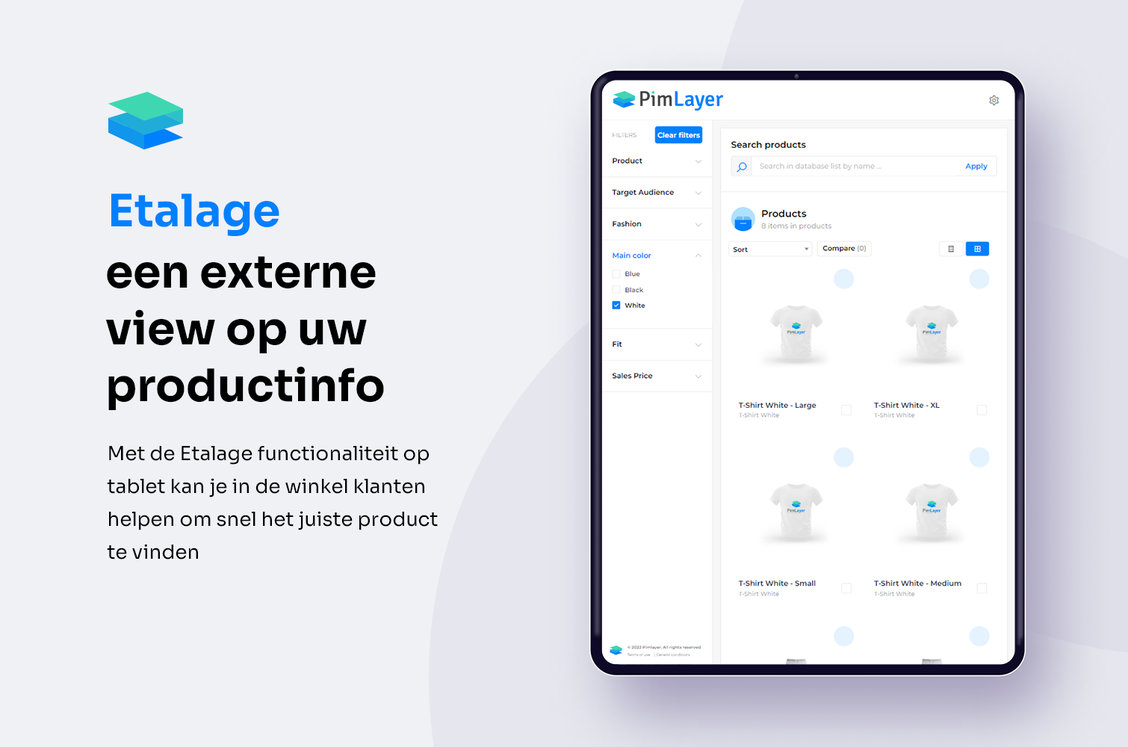
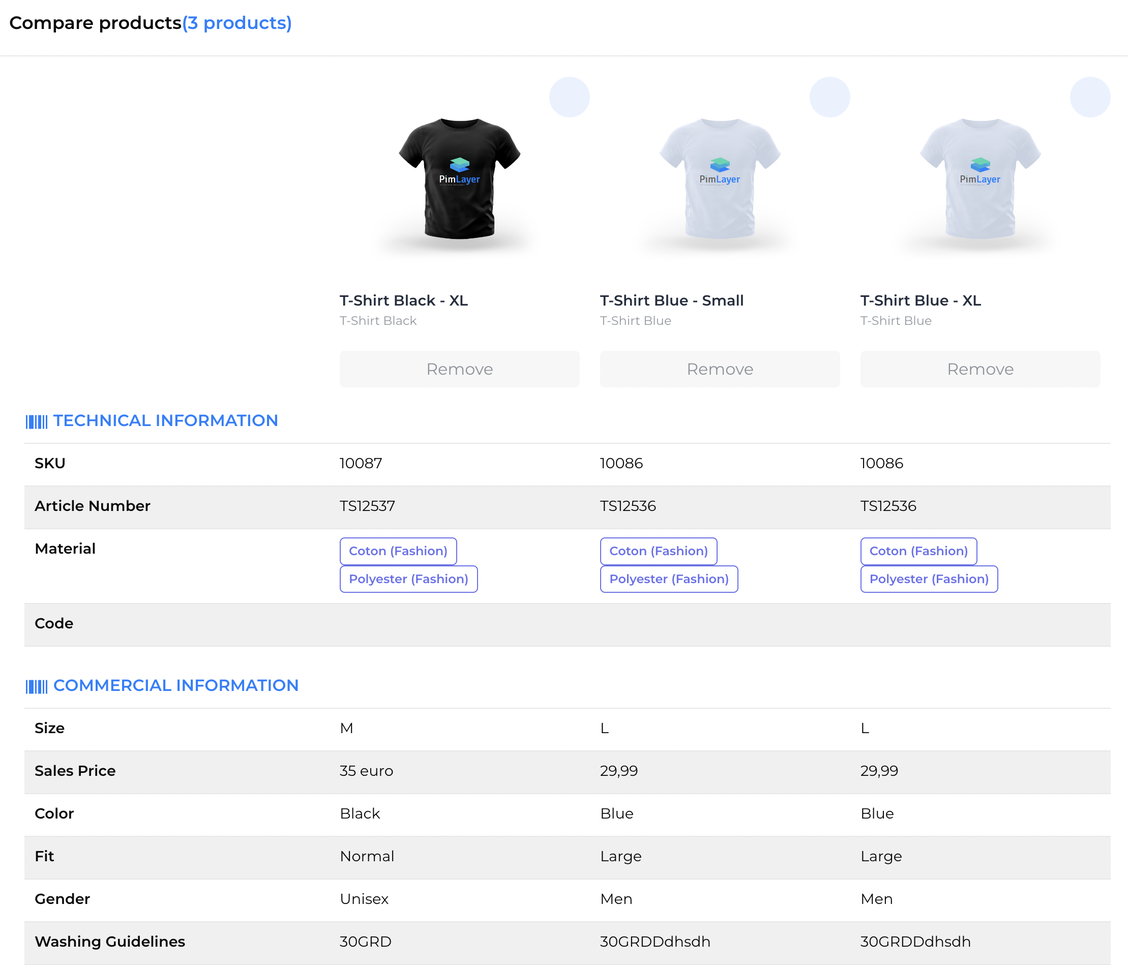
Products side by side, for a better choice
Let customers compare products directly and easily. With Etalage you place different models, sizes, colours or price ranges side by side and show their specifications in table form, side by side. That way you make the decision process easier and help your customer make a well-considered choice.
You set up an Etalage in minutes.
Access control
Public via a URL, secured with a code, or per user with login. You decide who gets access.
What you show
Choose which product categories, specifications and assets are visible, based on your product tree or taxonomy.
Your own search filters
Decide the filters on the left in your Etalage yourself, e.g. by colour, price or other specifications.
Own URL and branding
Give your Etalage its own name and URL for clear branding and recognisability.
Answers to your questions
Can I create different Etalages for different partners?
Yes. You create multiple Etalages, each with their own products, fields, assets and access. For example, commercial product information for the distribution wholesaler and technical drawings for support partners.
Can I restrict access to an Etalage?
Yes. You make an Etalage publicly accessible via a URL, secure it with a code, or set up individual user access with passwords. That way you keep control over who sees your product information.
How quickly do I set up an Etalage?
In minutes. Via the intuitive interface you set the name and URL, the access, the visible categories, specifications, assets and search filters. No time-consuming IT project.
What can I share via Briefcase?
Product assets such as hi-res photos and PDFs, in the formats your partner needs. Users select the desired products and formats; PimLayer bundles everything and sends a download link by email within minutes.
Can I let customers compare products?
Yes. With Etalage you place products side by side and show their specifications in table form, so customers can easily compare models, sizes, colours or price ranges.
Ready to take control of your product data?
Book a demo, or first calculate your time saved with the ROI calculator.